VOICE TO ANYTHING

Your team talks.
FieldTie writes.

Voice reporting for security, cleaning and facilities teams. One voice note becomes the report, the shift log and the update to the right people.

See how it works
A FieldTie voice note at Riverside Plaza: “I apprehended a person after a theft of 4 kg of prime beef at 22:23. The matter was resolved at 22:31. I notified the duty manager.”
  • INCIDENT REPORTTheft · 4 kg of prime beef
    Ready to review
  • SHIFT LOG22:23 · Person apprehended
    Logged
  • NOTIFICATIONDuty manager informed
    Sent
  • HANDOVERNote for the morning shift
    Next shift
  • CLIENT UPDATEIncident resolved at 22:31
    Shared

HOW IT WORKS

Talk it. Check it. Done.

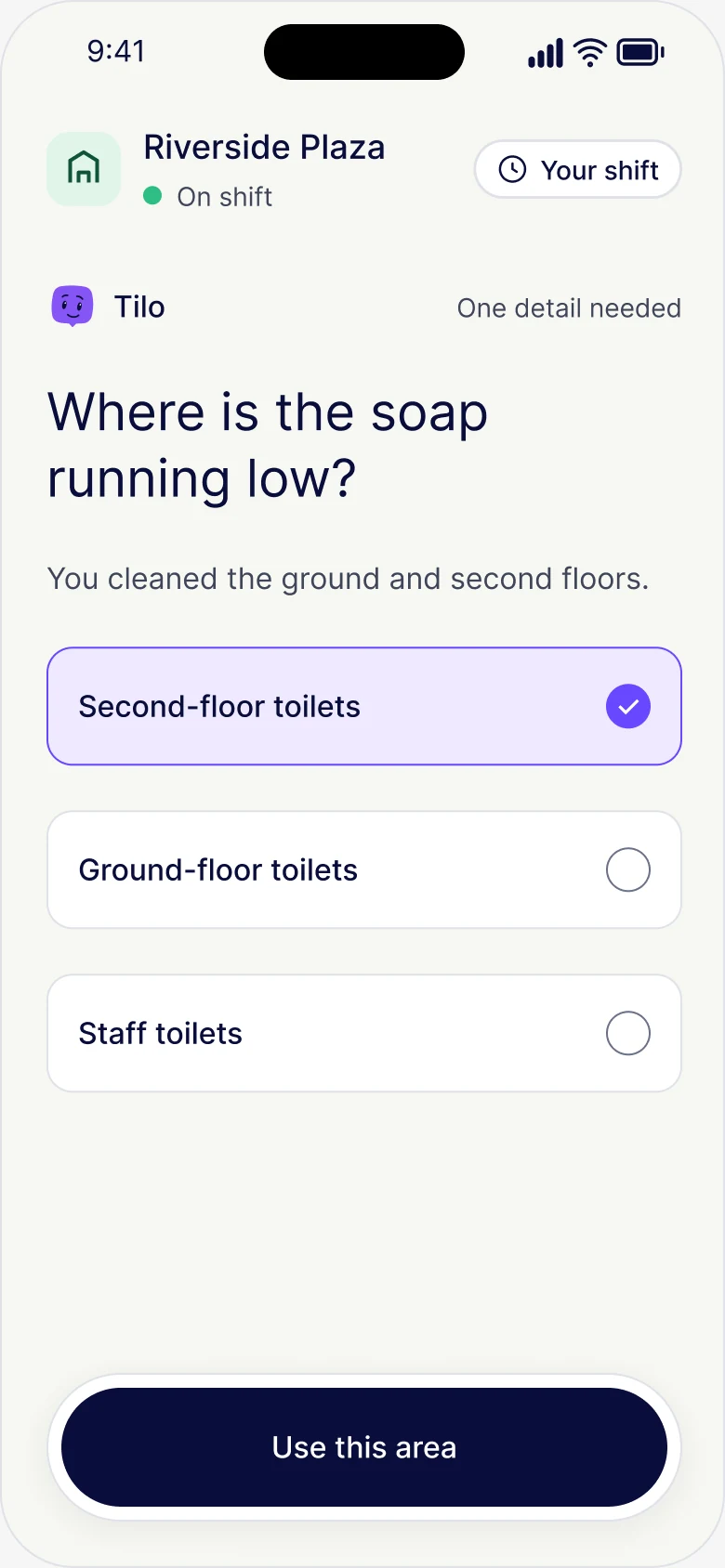
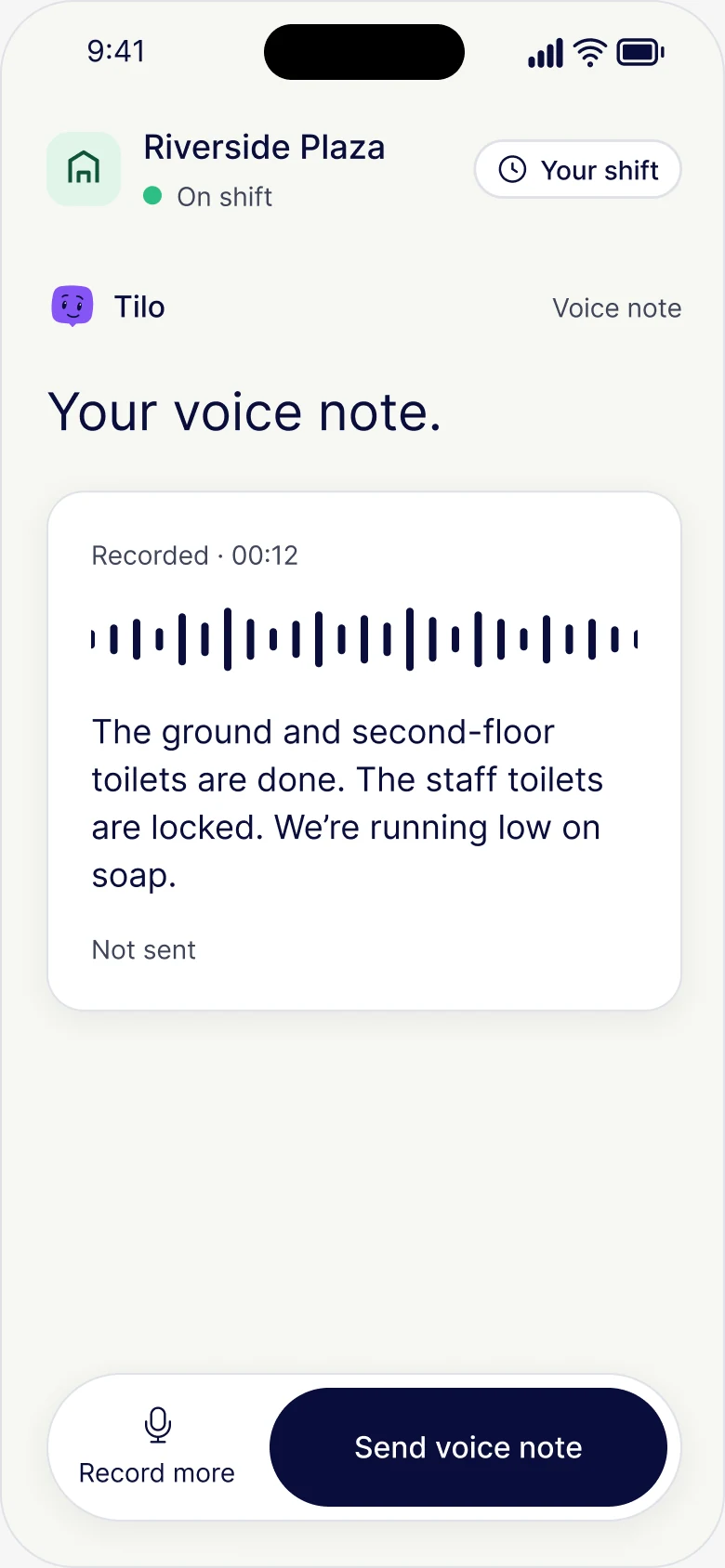
A cleaning voice note: “The ground and second-floor toilets are done. The staff toilets are locked. We’re running low on soap.”

Talk it.

Say what happened, in your own words.

FieldTie asks one question: “Where is the soap running low?” The answer chosen is the second-floor toilets.

Check it.

FieldTie asks only for what’s missing.
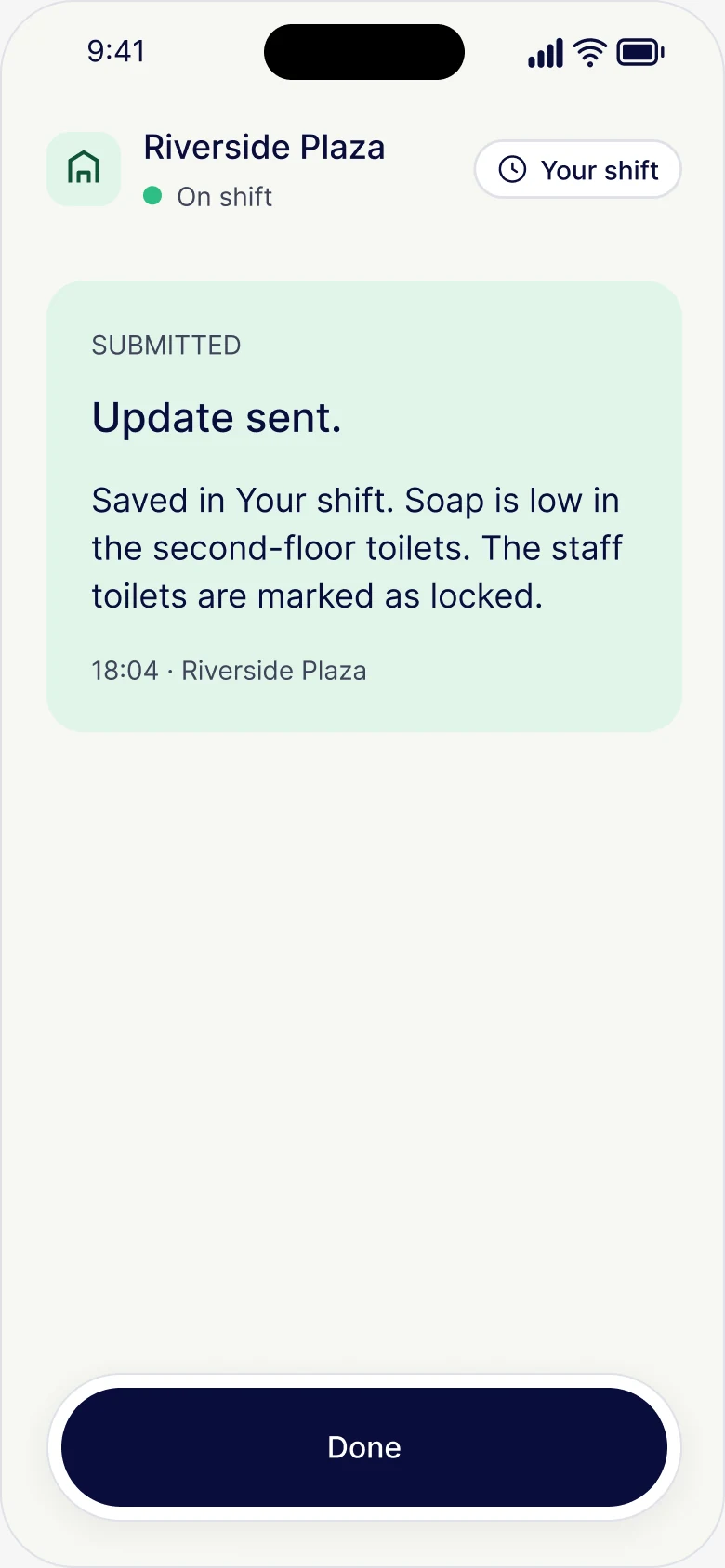
Update sent and saved in Your shift. Soap is low in the second-floor toilets. The staff toilets are marked as locked.

Done.

Filed, logged and with the right people.

VOICE TO ANYTHING

One voice. Every output.

If they can say it, FieldTie can file it.

  • Incident reportStopped him at the door with two bottles.
  • Shift logLevel two car park, all clear.
  • Patrol & checksEast fire exit’s blocked.
  • Maintenance requestLight’s out in stairwell B.
  • HandoverTell the morning crew the gate’s sticking.
  • StatementI saw him push the cashier.
  • Client updateSite’s secure for tonight.
  • Site answersWhere’s the alarm panel?

SITE KNOWLEDGE

Ask the site.
Get the answer.

Instructions, SOPs and handovers, answered by voice, with the page it came from.

Explore site knowledge
FieldTie answers: the alarm panel is just inside the staff entrance, on the left-hand wall, citing Store handover page 2. The cited site document opened at page 2, showing the passage about the alarm panel.

THE FLOW

A whole shift,
written for you.

From signing on to handing over, the record builds itself while your people do the job.

  1. Signed on at Riverside PlazaFieldTie Point · verified
  2. Briefing acknowledgedAfter-hours access · v1.3
  3. “Where do drivers wait?”Answered from site instructions
  4. Incident report sentDuty manager notified
  5. Handover acceptedJordan Lee · morning shift
  6. Shift summary readyNothing left to write up

FIELDTIE CONTROL

Set it up once.
Every shift reports in.

Build your reports, add your site knowledge and give each person the right access. FieldTie turns every shift into clean records and files.

WHAT YOU CAN ADD

  • Sites
  • People
  • Companies
  • Report templates
  • Checklists
  • SOPs
  • Site instructions
  • Comms
  • Training
  • Rosters
  • Client contacts

Set up your reports

Your format and your questions, asked only when they apply.

Incident reportYour template · v4

QUESTIONS

  • What happened
    Always
  • Time and place
    Always
  • Police reference
    If police came
  • Injuries
    If someone was hurt

+ Add a question

Get clean data and files

Every voice note becomes tidy fields and finished files.

FROM ONE VOICE NOTE

Type
Theft
Time
22:23 – 22:31
Location
Loading dock
Items
4 kg prime beef

FILES

  • Incident report.pdfYour layout, filled in
    Ready
  • Export to your systemCSV or API
    Synced

Add your knowledge

SOPs, comms and training, on hand when someone asks.

  • Site SOPs12 documents · Riverside Plaza
    Ready
  • Comms: fire door update9 of 12 acknowledged
    Open
  • Training: site inductionBefore the first shift
    Required

“Where is the alarm panel?” Answered from your SOPs.

Give people access

Sites, companies and roles. Access follows the roster.

Riverside Plaza3 companies · 14 people
  • OfficersTheir site, their shift
  • SupervisorsEvery site · review and approve
  • ContractorsTheir own work only
  • ClientApproved reports and summaries

Decide who sees what

Knowledge and reports reach the right people, and no one else.

Rear gate code changes every MondaySite instructions

WHO SEES IT

  • Security officers on shift
    Can see
  • Site supervisor
    Can see
  • Cleaning contractor
    Hidden
  • Client
    Hidden

Hand over and share

Open items pass to the next shift. Clients see only what you choose.

TO THE MORNING SHIFT

  • 2 open itemsStairwell B light · soap, level 2

TO THE CLIENT

  • Incident reportsWhen approved
    Shared
  • Shift summaryEvery morning, 7:00
    Shared
  • Internal notesStay with your team
    Private

FOR WHO?

With FieldTie, everyone gains.

A FEW THINGS, MADE CLEAR

Good questions.
Clear answers.

Does AI submit reports on an officer’s behalf?

No. FieldTie prepares the report and asks for anything missing. The officer checks it and sends it. Their words, the site and the report stay connected.

What if an officer speaks another language?

Officers can speak in the language they are most comfortable with. The record is written in your reporting language, with the original account kept alongside it.

Can it match our clients’ report formats?

Yes. Officers describe what happened the same way on every site. FieldTie fills the fields each client asks for, so your team doesn’t have to learn every format.

Who can see what we report?

Only the people you allow. Access follows the site, the role and the working relationship. Clients see only what you agree to share with them.

How quickly can a team start?

Officers need their phone and their voice. We set up your sites, instructions and report formats with you, then your team starts talking.

Request a pilot

READY WHEN YOU ARE

Say it.
Put it to work.

Tell us about your team and we’ll set up a pilot site.
Your team talks. You get the reports.

Get started

FIELDTIE / INTERACTIVE DEMO

One site. Your working day.

9:41
▮▮▮ ▰
FieldTie

01 / SCAN FIELDTIE POINT

The right site. From the first scan.

Start with the example FieldTie Point to open Melbourne Central and see what your team can do.

Scripted examples · No recording, SMS, camera or Bluetooth accessApp + web check-in

TRY VOICE TO ANYTHING

Just talk.

Pick an example. Then tap Voice and FieldTie takes it from there.

Scripted example. No microphone is used and nothing is sent.

Riverside PlazaOn shift
Your shift